How AI Automates Email Routing and Shared Inboxes
TL;DR
Discover how AI classifiers sort shared inboxes, extract core transaction metadata, and draft replies with 95%+ precision.
The Shared Inbox Nightmare
Shared inboxes like support@, billing@, or contact@ are critical hubs. However, they easily turn into operational bottlenecks. Staff must spend hours opening every email, identifying what it is, forwarding it to the right person, and copying client details into the CRM.
The AI-Powered Dispatcher
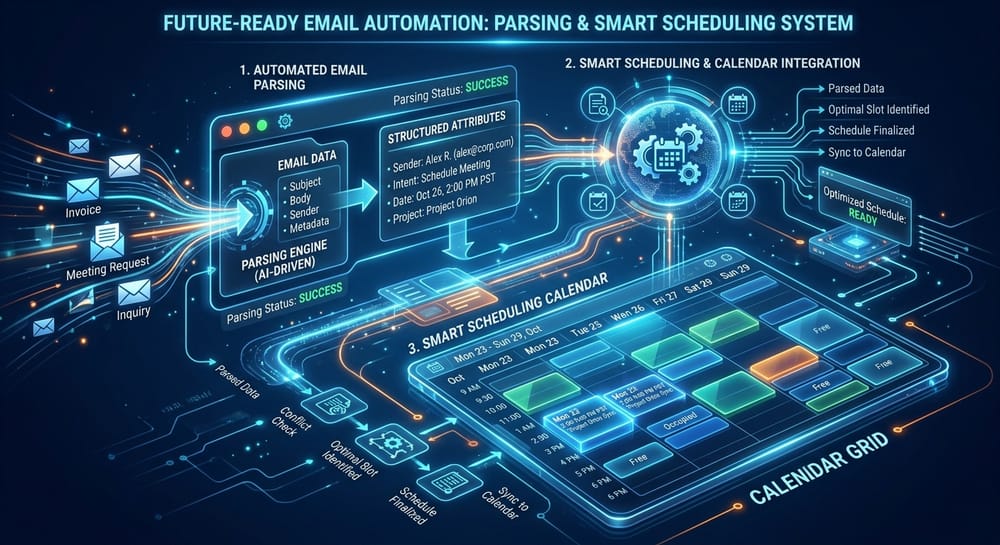
An AI Email Routing & Inbox Agent acts as an automatic dispatcher. Running continuously, it reads incoming emails and runs them through a structured classification model:
- Categorization: It determines the intent of the email (e.g., Billing Complaint, Partnership Proposal, Support Ticket, or Quote Request).
- Entity Extraction: It parses the text to find client IDs, invoice numbers, order tracking, and priority.
- Smart Routing: It forwards the email to the correct department with a pre-populated context card.
- Draft Generation: It queries internal knowledge databases or databases, drafts a professional response, and drops a notification in Slack or your email drafts folder.
Ensuring Accuracy & Tone
Our email agents are trained on your company's communication history, maintaining your exact brand tone and policy rules. High-confidence replies (e.g., answering "What is your support email?") can be sent automatically, while billing adjustments or legal questions are saved as drafts, requiring a manual human sign-off.
What to Measure Before You Automate
Email routing is unusually easy to automate badly, because the work is invisible and everyone assumes their own inbox is a special case. Measurement is what keeps the project honest.
Take a baseline over two normal weeks, not a busy one. Count the messages arriving in the shared inbox, the share that are genuinely routine, the median time from arrival to first human reply, and the number that are touched by more than one person before being resolved. That last figure is usually the surprise: in most teams a significant share of messages get opened, considered and left by someone who was never going to handle them.
After the agent is live, the same four numbers tell you whether it worked, and a fifth becomes the one to watch. The escalation rate, meaning the share of messages the agent declined to handle, should settle within a few weeks and then stay roughly flat. A rising escalation rate is the earliest signal that something upstream has changed, whether that is a new product line, a new form on the website, or a supplier who has started writing in a different format.
Resist judging the system on the share of email it handles. A system that handles sixty percent and escalates cleanly is worth considerably more than one that handles ninety and occasionally sends the wrong thing to a customer.
Further reading
- AI Risk Management Framework — NIST
- Cybersecurity Framework — NIST
Want to discuss these automation patterns?
We custom-program these exact multi-agent systems with absolute human approval gates and strict role security rules.