AI Email Routing & Inbox Agent
In short
Sort large shared inboxes, extract high-priority action items, draft perfect replies, and sync details to your business systems.
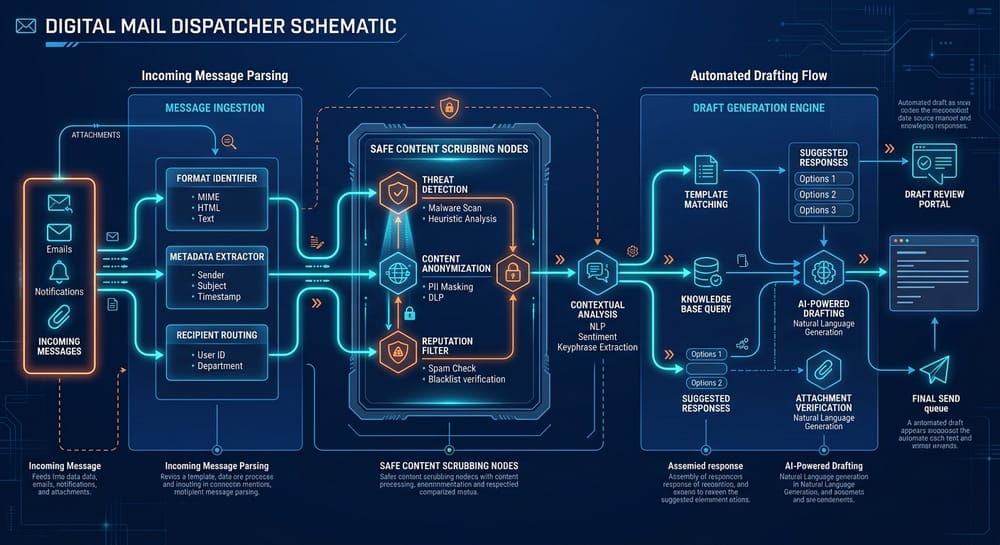
Managing a busy shared inbox (like info@, support@, or sales@) can quickly consume your team's entire morning. Our AI Email Routing & Inbox Agent acts as an intelligent digital dispatcher. It reads incoming emails, categorizes them with high precision, extracts crucial business parameters (invoice numbers, request types, urgent deadlines), routes them to the correct internal department, and drafts complete, context-aware email replies ready for a human click-to-send.
Critical Operational Failures Solved
Hundreds of daily emails in general inboxes, delayed response times, messages falling through the cracks, and manual sorting errors.
"Customer emails info@ asking for a billing adjustment → Assistant reads it 4 hours later → Forwards to finance department → Finance rep reads it next day, drafts response → Emails customer back."
Customer emails info@ → AI Email Agent instantly categorizes email as "Billing Inquiry", extracts client ID, retrieves transaction details from Stripe, drafts a precise explanation, and alerts the finance manager in Slack with a "Click to Approve" button.
Compatible Software APIs
Human-in-the-Loop Approval Rule
Governance & Threat Containment
Standards and further reading on AI Email Routing & Inbox Agent
We build to published frameworks rather than to our own house rules. These are the primary sources behind the controls described above, so you can check them yourself.
- AI Risk Management Framework — NIST
- Top 10 for Large Language Model Applications — OWASP Foundation
Common questions about AI Email Routing & Inbox Agent
What clients ask before putting this agent into production, answered without the sales gloss.
Both are available and it is configured per category. Routine replies that match approved patterns can send automatically, while anything sensitive, unusual or first-contact is drafted and held for a person to release.
It reads the message rather than matching keywords, which is why it copes with the ones that break rule-based filters. Routing categories come from your own inbox history, agreed during the documentation week so the categories match how your team actually works.
Yes. It marks what it has taken, leaves the rest, and avoids threads a person is already active in. The audit log shows exactly which messages it touched and what it did with each one.
Ready to deploy AI Email Routing & Inbox Agent in your company?
Book a Free 1-Hour Consultation with our Solutions Architect to evaluate your toolstack and map your custom AI deployment.